This was originally written for teachers at my school and shared with them November 28.
We had a student stop by 125 and ask what the name of the site with the little rocket ships for answering questions that Mrs. Le used in history. He wanted to use it in his math class. I think it’s great that the student was able to see the flexibility of the resource and that it could be used in other classes. I thought I’d share it with everyone in case you are looking for something different to do as we head into December.
 The answer is socrative.com Socrative is basically a clicker type app/website that collects students responses in a variety of ways. You do not need to book chromebooks because it works just as well on any devices the students have - it is very mobile friendly.
Here’s a video that briefly describes what socrative does.
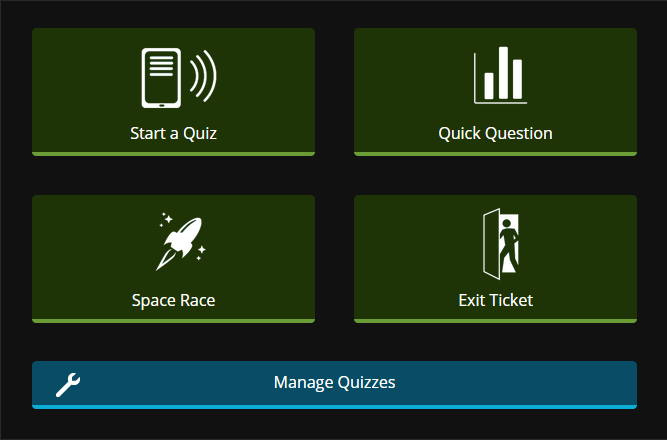
Socrative.com is an easy on line tool that you can use in your classroom with students for quick check-ins, quizes, exit tickets or what socrative calls space races (the one with the rocket ship).
Reports are collected and can be emailed to you. Quizzes can be done either teacher paced or student paced. In “Quick Question” you can poll the class and find out where the class stands on an issue, or with their understanding of a concept. I haven’t used Exit Ticket at all, so I can’t speak to that one.
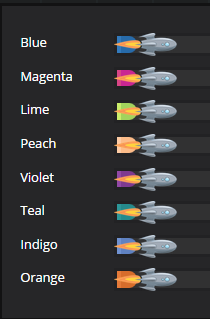 I’ve been using the space race in my classes. I create a quiz (in manage quizzes) before class based on work students had been doing. In class I login to socrative, click space race, choose my quiz and the number of teams I want to have. I then break students up into teams and have them compete against each other to answer the questions. They login using my class room number (assigned by socrative). One device per team. As they answer questions correctly, their rocket moves across the screen (I put it up on the data projector). They enjoy the competition and get pretty excited.
I’ve also done this with new material. Students are expected to research the answers while they do the race. This works best if teams can have 2 devices - one for research and one for the race, but it can be done in different tabs on one device.
Socrative allows for multiple choice, true/false or short answer type questions. The short answer can get a bit tricky because the student answer has to match yours exactly (capitals, spelling). I try to avoid this type of question.
If you want help getting started with socrative let me know. It’s not difficult to pick up, but it is easier if you play around with it the first time using more than one device - one as teacher, one as student.

